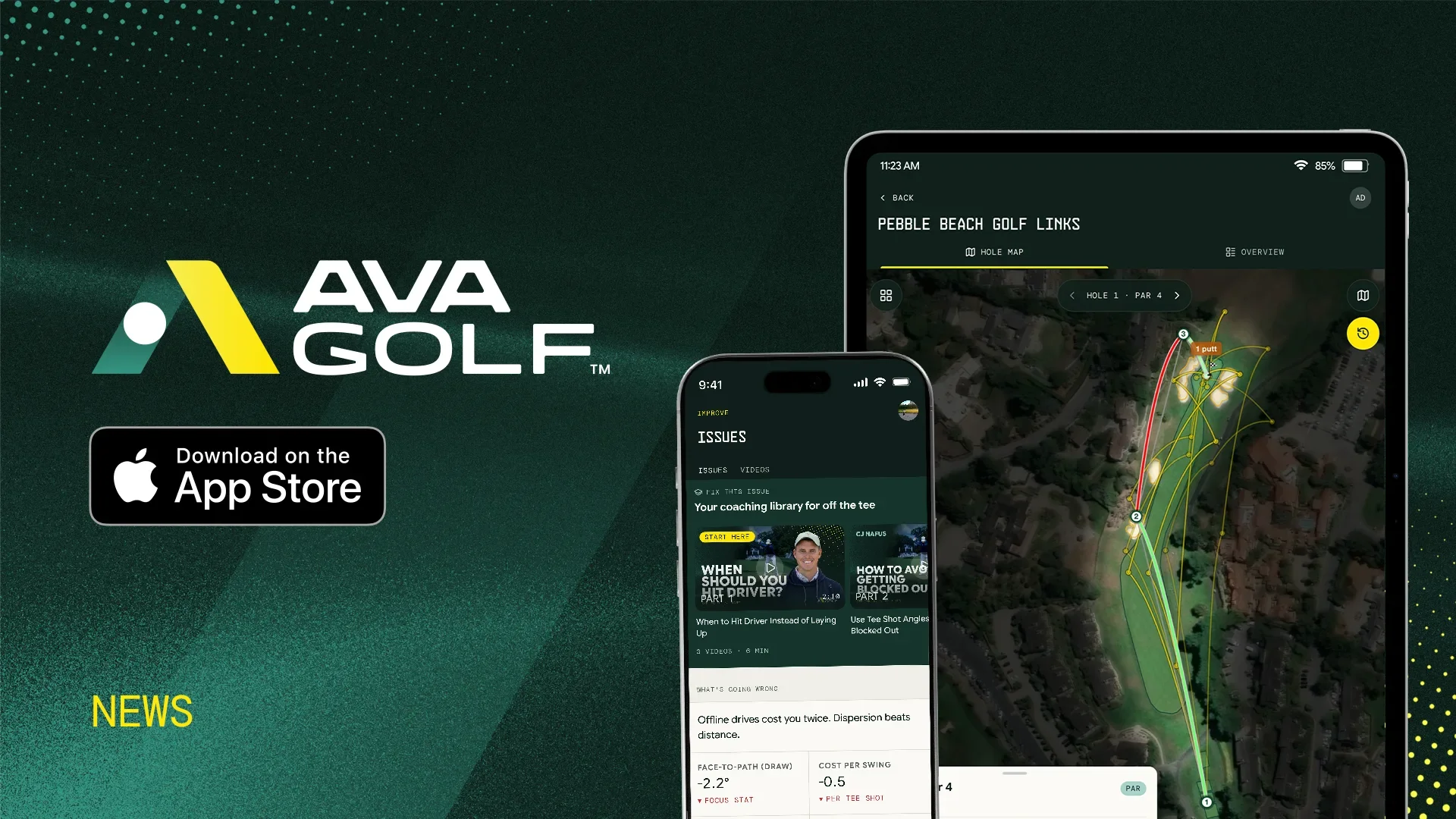

Home now opens on your handicap, the target you’re chasing, and the one thing that’ll get you there fastest. With the season winding down for a lot of you, your range and simulator sessions do much more this month. And your rounds and Trends picked up a few things you’ll enjoy, starting with a way to add the holes your tracker missed.
Here’s what’s new.
Your Handicap, Front and Center
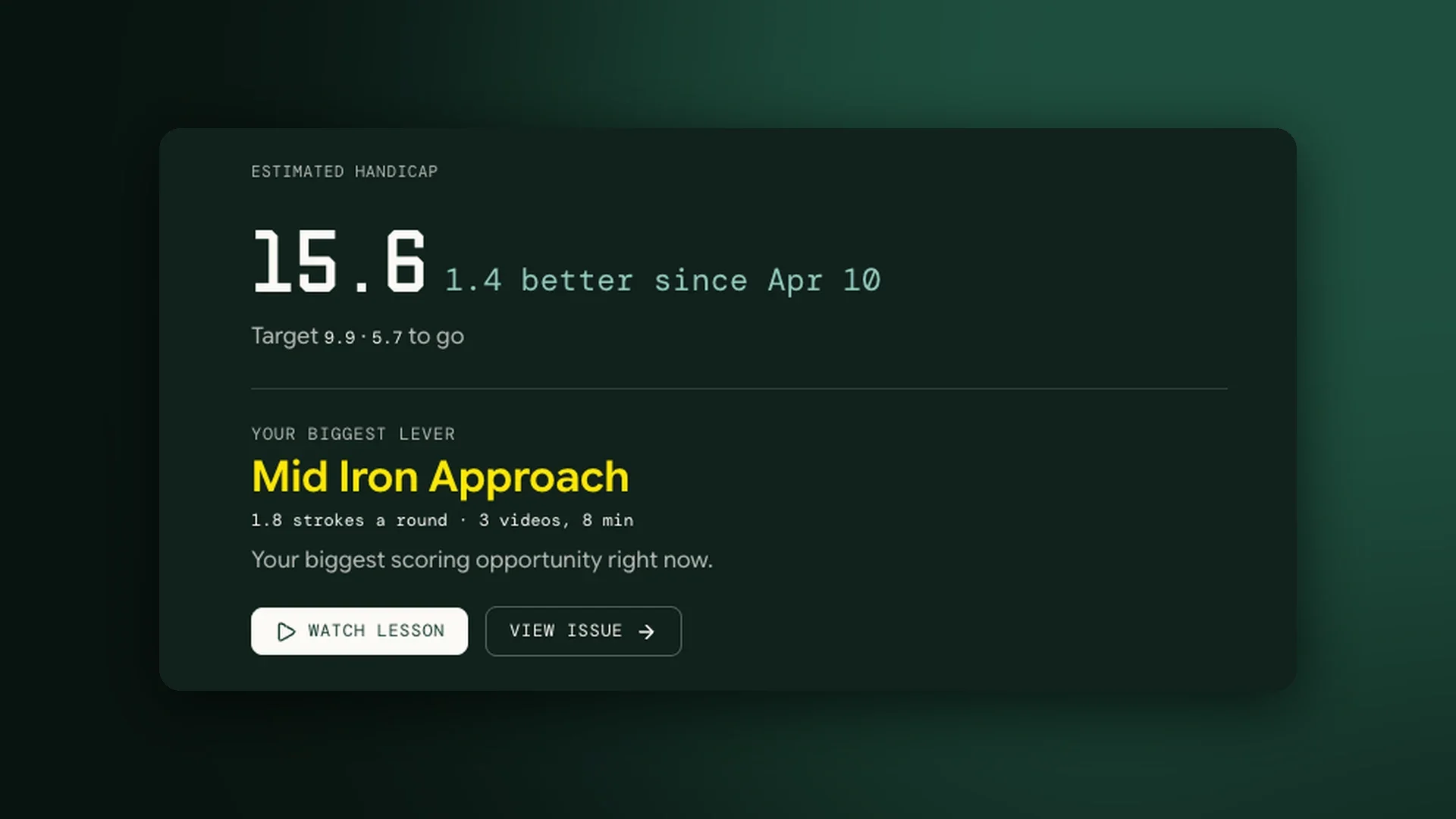
Home Starts With Your Handicap
Open AVA Golf and the first thing you see is your handicap, how far it’s moved over the last few months, and how close you are to your target. Right underneath sits your biggest lever: the part of your game costing you the most strokes a round, with a lesson ready to watch. The next few follow under Also costing you.
Set a Target Worth Chasing
Add a target handicap when you sign up, or tap Set your target on Home whenever you’re ready. Your Trends overview then shows your scoring average side by side with the average your target calls for, so you always know how much ground is left.
Practice That Counts
Your Range and Simulator Sessions, in Full
Practice with a launch monitor but rarely track a round? Your sessions now fill out Home, Trends, and Activity on their own. AVA Golf finds what’s costing you from your practice, matches lessons to it, and suggests range work you can measure on your next session.
A Weekly Practice Goal
Choose how many sessions you want to get in each week and watch your progress fill in on Home and in Activity. It’s entirely optional, and there are no reminders.
Your Wedge Matrix
Tag the swing length on a practice session and AVA Golf builds a matrix of how far each wedge carries at each length. You’ll find it on your approach page in Trends.
Practice Progress, Club by Club
See how your carry, spread, and club speed change from one session to the next for each club. Warm-up swings are left out, and shots that look like they came from a different club are flagged for you to confirm.

Your Rounds, Hole by Hole
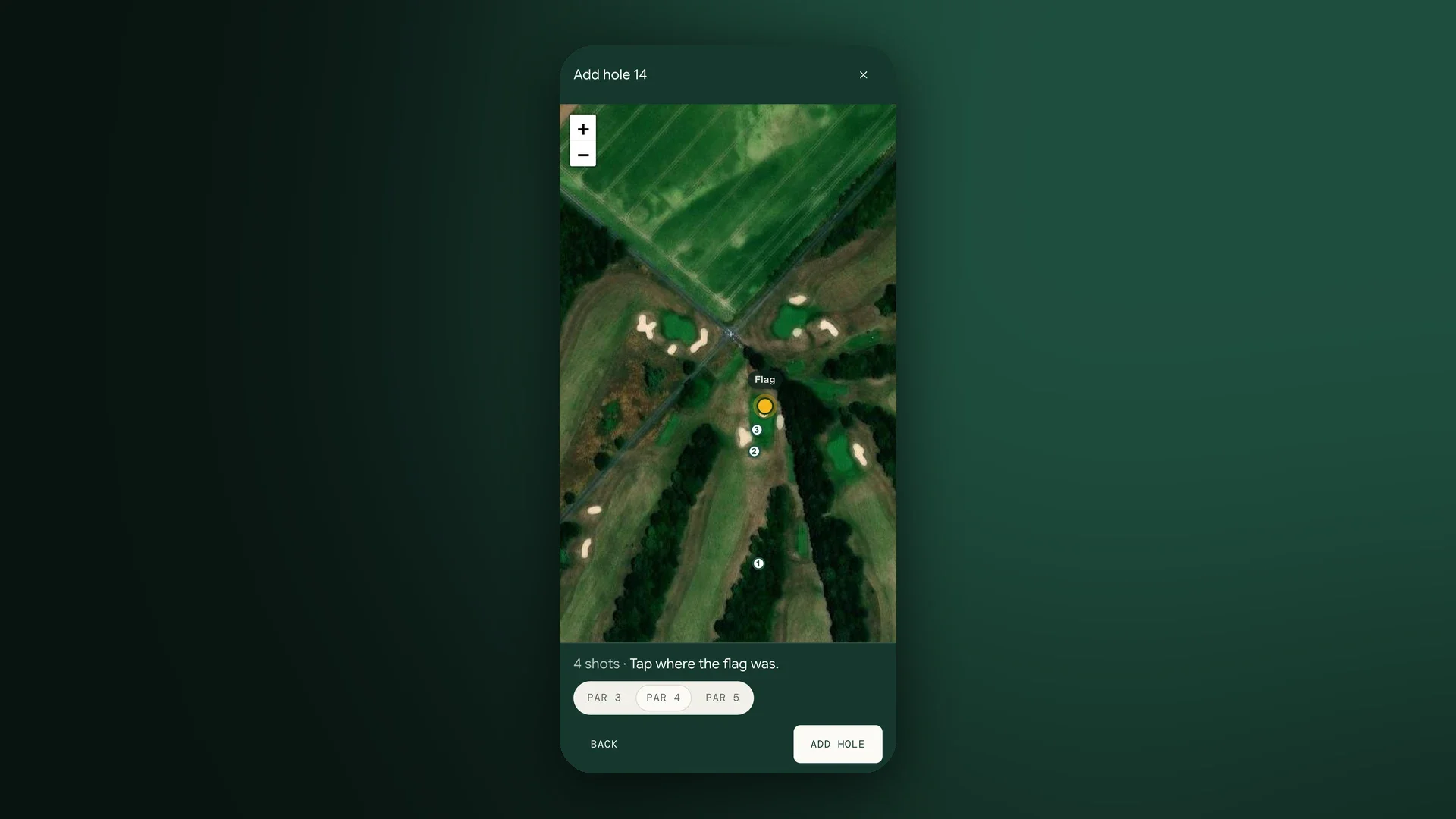
Add Holes Your Tracker Missed
Battery died on the back nine? Open the all-holes grid on the hole map and any missing hole shows as a + tile. Tap it, tap where each shot finished, place the flag, choose the par, and the hole is scored with strokes gained like the rest of your round. If you’ve played the hole before, the map opens on the tee and fills in the par for you. Added holes stay in your round when your device syncs again.
A Hole Map That Puts the Hole First
On satellite view, the ground outside the hole you’re looking at now fades back wherever the hole’s outline is mapped, so the fairway, the green, and your shots stand out. On a computer, each hole lies diagonally across the screen from tee to flag, so it fills the space and shows up larger.
More in Your Trends and Lessons
Every Short-Game Shot on the Ladder
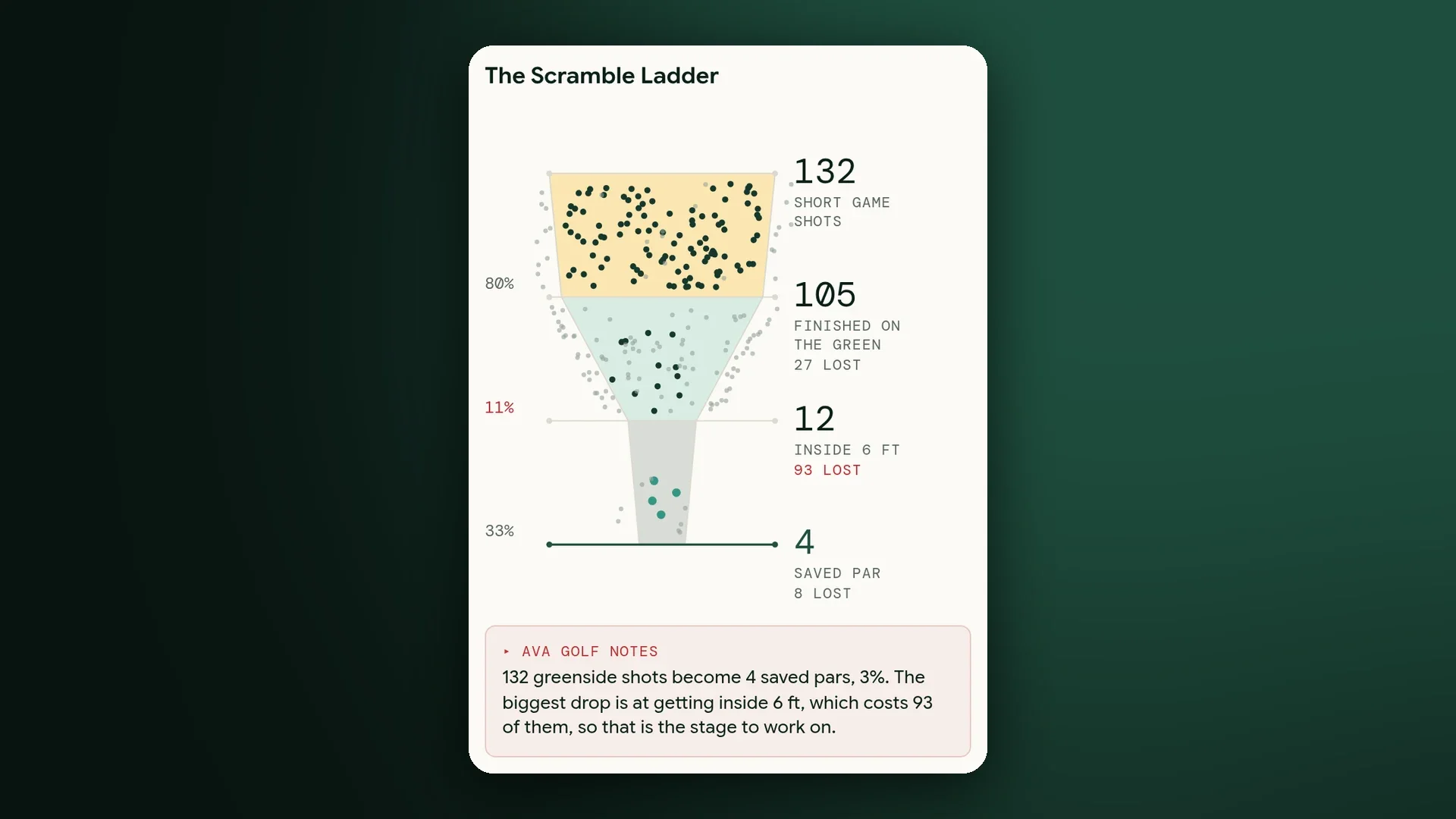
The Scramble Ladder now shows one dot for every shot around the green, and follows them down through the ones that finished on the green, got inside six feet, and saved par. Tap or hover a stage to see how many shots slipped away there, and the widest gap is marked in red. Your approach funnel works the same way, from approaches to greens found, two putts or fewer, and par or better.
Lessons Matched to Your Miss
AVA Golf now picks your lessons from the evidence behind each issue, the actual pattern in your shots, and steers away from lessons that give the opposite advice. If you’re missing right, a lesson built for a miss to the left stays off your list.
Lessons That Fill Your Phone Screen
Coaching videos now play vertically on your phone, full screen, with thumbnails to match. Pull one up at the range without turning your phone sideways.
And plenty of smaller polish besides: your Game Breakdown and Skill Genome side by side on the Trends overview, the back button returning you to the exact round and hole you left, and separate switches under Settings → Notifications for your progress emails and our product news.
In Case You Missed It
AVA Golf Is on the App Store
You can now download AVA Golf for iPhone and iPad, and sign in with the account you already have. Here’s the full story.
Garmin Golf Premium API™ Integration
AVA Golf has integrated the Garmin Golf Premium API™, so you can connect your Garmin® golf data directly to AVA Golf. Read the announcement.
Sneak Peek: The Swing Analyzer
Everything above is live in your account today. This isn’t, yet.
We previewed swing capture in September, and it’s come a long way since. Here’s where it’s headed.
The Full Analyzer on Your Phone
You’ll open a swing on your phone and see the video above a measured 3D view of your body, with the P1 to P10 positions marked along the timeline and your key numbers alongside.
Every Angle of a Swing, Together
Film with one phone or several, and each swing’s angles will open together. You’ll be able to set two swings side by side, or lay one over the other to see exactly what changed.
Live Lessons With Your Coach
Your coach will be able to watch every camera angle as you hit, talk it through with you in real time, and draw on each swing the moment it lands.
We’ll tell you as soon as it’s on.
That’s November. Set a target, pick a weekly practice goal, and make the most of the off-season.
Log in to AVA Golf and take a look around. See you out there.
The AVA Golf Team